
Storing Cold Data in SQL Server? There's a Better Way.
Why Delta Tables on blob storage are the right home for data you don't query every day.

If you’ve been in data long enough, you’ve probably inherited a database that’s grown a little too comfortable. Tables that haven’t been queried in months. Historical records from three years ago sitting right next to your live reporting data. Nobody wants to touch it, but nobody wants to delete it either.
This is the first article in a series on Delta Lake storage. Over the next few posts, we’ll cover:
What Delta Tables are and why they’re ideal for long-term archiving ← you’re here
A hands-on demo: converting a large CSV to a Delta Table in ADLS (object storage) and comparing the size
Querying Delta Tables with DuckDB, no Spark required
Let’s start with the foundation.
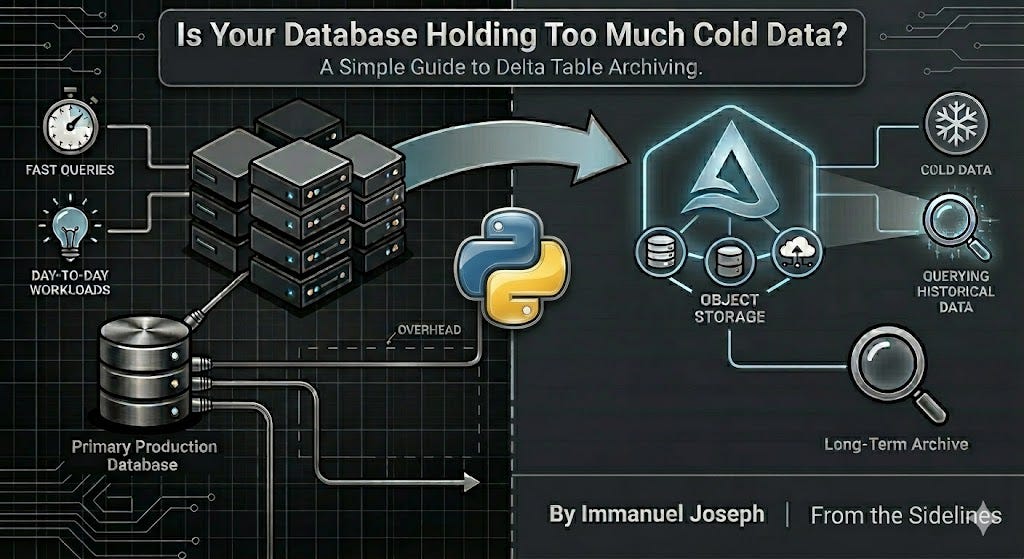
Not All Data Needs the Same Home
In most data teams, there’s a natural split in the data you manage. There’s the stuff that gets hit constantly: current records, recent transactions, the tables your dashboards and reports depend on. And then there’s the historical data: audit logs, aged-out transactions, archived records that might get queried once a quarter, during a compliance review, or when someone needs to investigate something from two years ago.
SQL Server and Postgres are great at what they do. Fast lookups, structured storage, supporting the day-to-day reporting and transformation workloads your team runs. But when you’re also storing hundreds of millions of rows that nobody touches regularly, it’s worth asking: does this data need to live here?
For cold data, there’s often a better fit. Blob storage, structured as a Delta Table, gives you the same query ability at a fraction of the cost, without the overhead of a database instance sitting idle most of the time.
What Is a Parquet File?
Before we get to Delta Tables, we need to talk about Parquet, because Delta Tables are built on top of it.
Parquet is a columnar storage format. That distinction matters more than it sounds.
In a row-based format like a CSV, data is stored row by row. If an analyst wants to calculate the average of a single column across 100 million rows, the system has to scan every row to get there.
Parquet flips this. Data is stored column by column. If you only need three columns out of fifty, Parquet reads only those three. For the kinds of workloads data teams run (aggregations, filters, summaries) this is a meaningful difference.
On top of that, Parquet applies compression per column. Because each column tends to hold similar values (think of a status column that only ever contains “active”, “inactive”, or “pending”), compression algorithms like Snappy or ZSTD can squeeze that data down significantly. A CSV that’s 2GB on disk might land at 200-300MB as a Parquet file. We’ll show this with a real demo in the next article.
What Is a Delta Table?
Delta Lake is an open source storage framework that brings reliability to data lakes. A Delta Table is a layer built on top of Parquet files that adds reliability and manageability.
Here’s how it looks on disk:
/my-delta-table/
├── _delta_log/
│   ├── 00000000000000000000.json
│   ├── 00000000000000000001.json
│   └── ...
├── part-00000-abc123.snappy.parquet
├── part-00001-def456.snappy.parquet
└── ...
The Parquet files are the actual data. The _delta_log/ folder is what makes it a Delta Table. It’s a transaction log that records every operation ever performed on the table: inserts, updates, deletes, schema changes. But it also stores statistics about the data itself — things like the minimum and maximum values in each column, null counts, and row counts per file. This metadata is what allows Delta to skip over entire files when you run a query with a filter, without having to open and scan them first.
This gives you things that raw Parquet files don’t. Writes are atomic, so a failed pipeline run doesn’t leave your table in a broken state. Schema enforcement means Delta rejects data that doesn’t match the table’s schema, so you don’t silently corrupt your archive. Time travel lets you query the table as it existed at any point in the past. VERSION AS OF 5 or TIMESTAMP AS OF ‘2024-01-01’ are real queries you can run. And partition pruning means that if you partition your table by date or region, queries that filter on that column skip entire partitions, making reads much faster even on large datasets.
Putting It Together
Let’s say your team has five years of order records. They’re not going anywhere, but they’re also not being queried every day. Here’s what the two approaches look like side by side:
Keeping it in SQL Server / Postgres:
You’re paying for a managed database instance even when nobody’s querying that data. Storage costs are higher than blob storage. Backups and maintenance windows cover this data too. Over time, the database grows heavier, which can affect the performance of your active workloads.
Moving it to a Delta Table on Object Storage:
Data sits in blob storage, one of the cheapest storage tiers available. You pay for storage only and compute comes in only when you query. No instance to manage, no maintenance windows. It scales to petabytes without many infrastructure changes, and tools like Spark, Databricks, Azure Synapse, Microsoft Fabric and (as we’ll cover later) DuckDB can query it directly.
You’re not giving up query-ability or reliability. You’re just not paying database-tier prices for data that doesn’t need it.
A Pattern That Works in Practice
A common approach: your database handles current and recent data, and a scheduled pipeline (Airflow, Azure Data Factory, or even GitHub Actions, we’ve covered those in earlier posts) moves aged-out records to a Delta Table in object storage on a regular cadence. Your database stays lean, your archive stays query-able, and your storage costs stay predictable.
Different data, different home. It’s a simple idea, but it makes a real difference at scale.
What’s Next
In the next article, we’ll make this concrete. I’ll take a large CSV file, write it to ADLS as a Delta Table using Python and the delta-rs library, and show you the size difference side by side. No Spark cluster required.
Great insight.
I am glad that I found your post on reddit that pushed me to view your substack.
Keep it coming!
Very Useful Article. Nice deep Dive